
[Flutter]Android用のPush通知を実装する
Firebase Cloud Messaging(以下 FCM)を利用して、Flutter の Android アプリでプッシュ通知を受け取る機能を実装していきます。
アプリの状態が Foreground・Background で通知が表示されるようにします。
- Flutter 3.16.5
- firebase_core: ^2.25.3
- firebase_messaging: ^14.7.14
- flutter_local_notifications: ^16.3.2
- Android 実機で検証
#Firebase の事前準備
公式を参考にアプリに Firebase を追加して初期化します。 https://firebase.google.com/docs/flutter/setup?hl=ja&platform=ios
- Firebase プロジェクトを作成する
- Firebase プロジェクトに Android アプリを追加する
- Flutter アプリで Firebase を初期化する
#通知の設定
#FCM プラグインをインストールする
flutter pub add firebase_messagingdependencies:
firebase_messaging: ^14.7.14#FCM のトークンを取得する
main.dart に import します。
import 'package:firebase_messaging/firebase_messaging.dart';端末のトークンを取得する処理を追加します。
void main() async {
	WidgetsFlutterBinding.ensureInitialized();

	await Firebase.initializeApp(
		options: DefaultFirebaseOptions.currentPlatform,
	);
	// --> 追加
	final fcmToken = await FirebaseMessaging.instance.getToken();
	debugPrint('FCM Token: $fcmToken');
	// <-- ここまで追加

	runApp(const MyApp());
}
アプリを起動し、コンソールに出力されるトークンを取得します。
I/flutter ( 8665): FCM Token: fj0wJtdDSsqBRAKuhjjnfd:APA96*********m2CFapQxU2etz3Q6*********3GT2_mW3IbF6S_AL9CcWLzkxqGyJHI0o6*********8axj1tcv5GHzJpZxYFzYN4WzPwB2ZuN4F8m_sR6*********#プッシュ通知権限リクエスト
Android13 から Android でもプッシュ通知権限の要求が必要になりました。
Android アプリで Firebase Cloud Messaging を使ってみる
Android アプリで Firebase Cloud Messaging を使用する方法について説明します。AndroidManifest.xml にPOST_NOTIFICATIONS権限設定を追加します。
<uses-permission android:name="android.permission.POST_NOTIFICATIONS"/>権限リクエスト処理を追加します。
void main() async {
  ・・・
  FirebaseMessaging.instance.requestPermission();
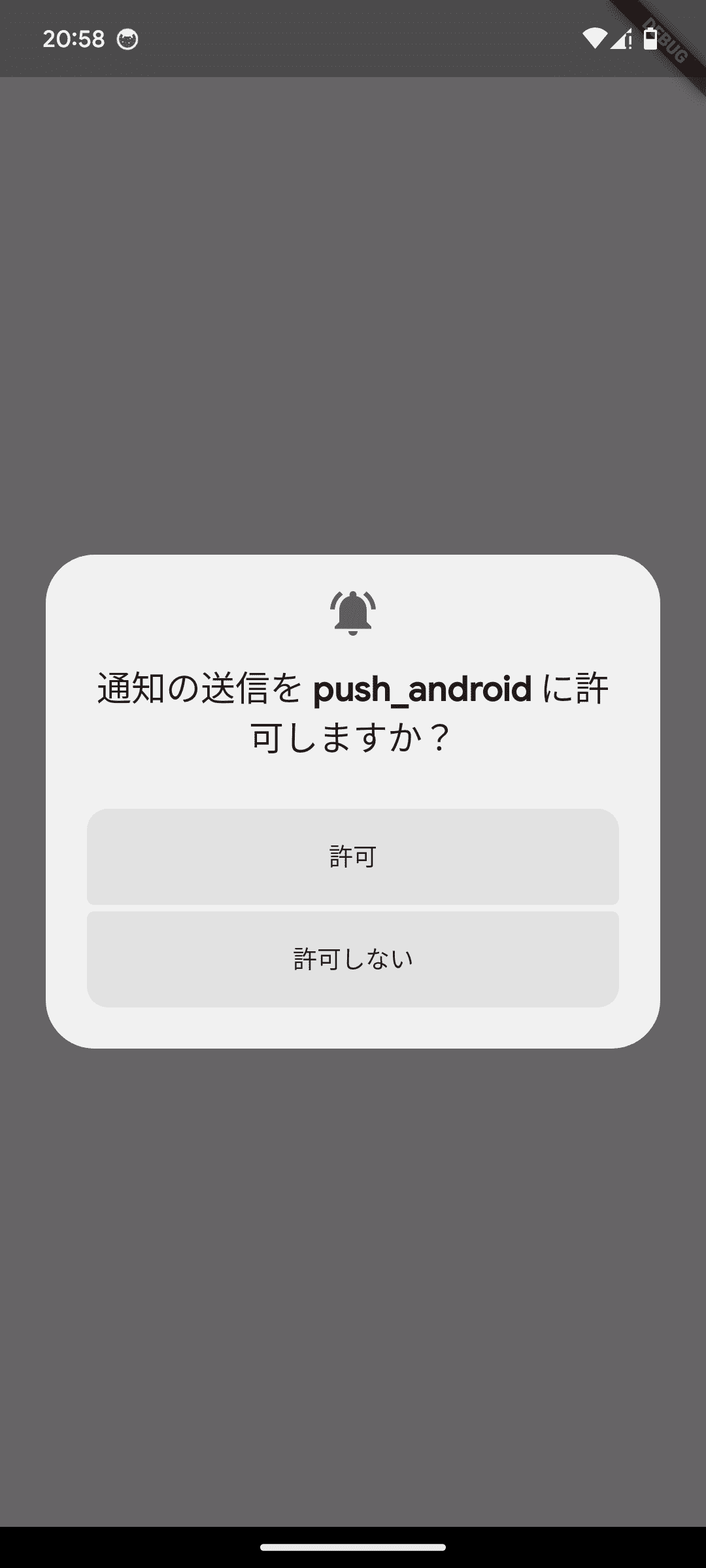
アプリを起動すると通知権限のリクエストが表示されます。
初回に許可しなかった場合、変更するには設定画面から許可する必要があります。
#通知を受信する
#アプリが Background 時にプッシュ通知を受け取る
Firebase のコンソールから通知を送信します。
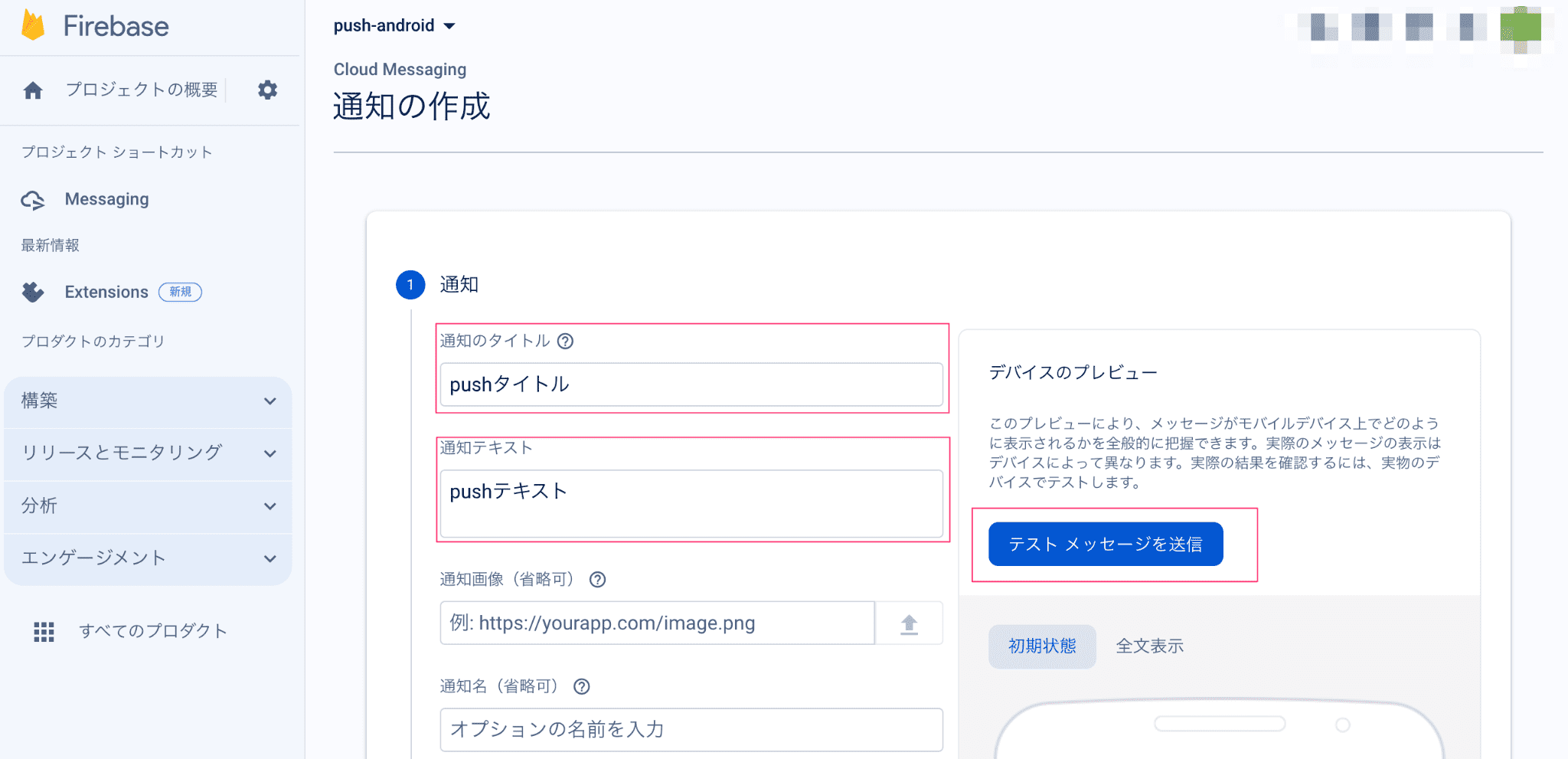
Firebase のメニューから Cloud Messaging を選択し、「最初のキャンペーンを作成」から通知の作成画面を開きます。 通知のタイトル・通知テキストを入力し、右側「デバイスのプレビュー」の「テストメッセージを送信」ボタンを押下します。
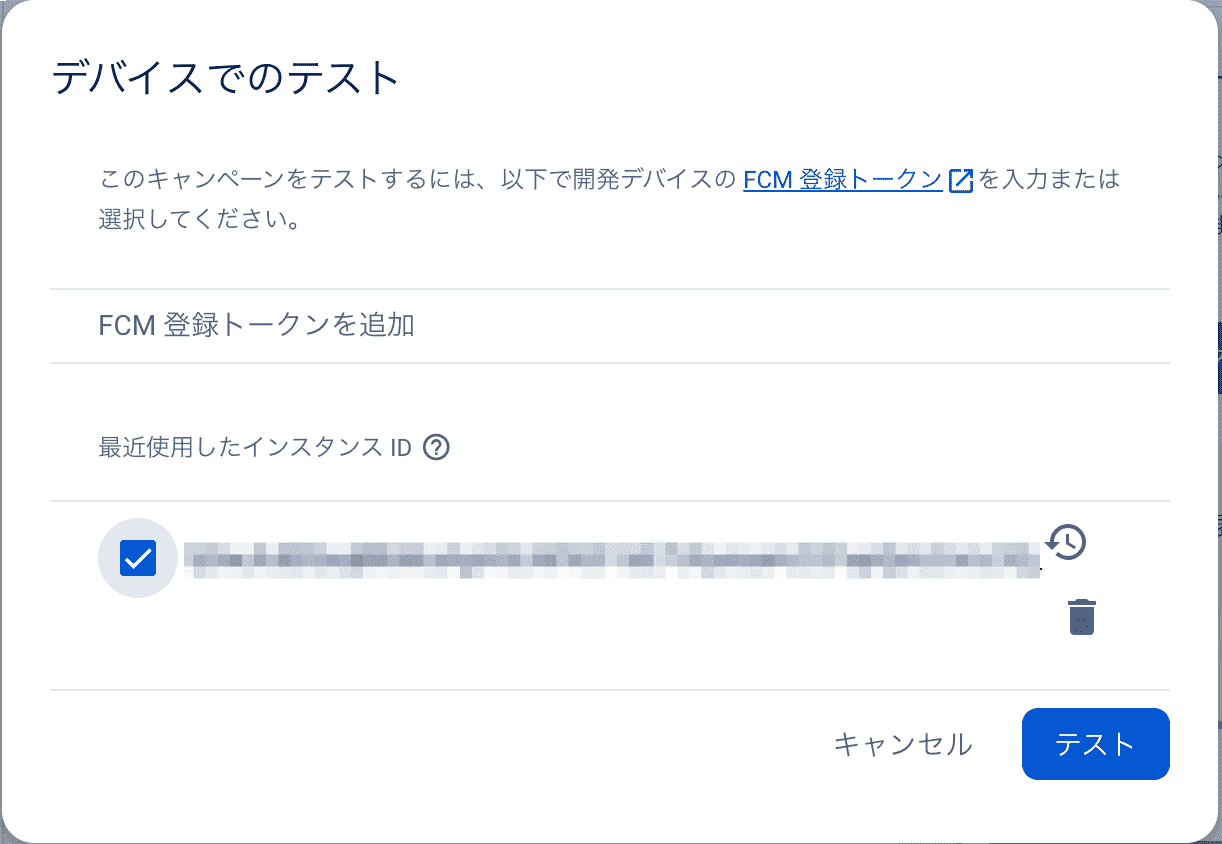
取得したトークンを追加・選択し、「テスト」ボタンを押下します。
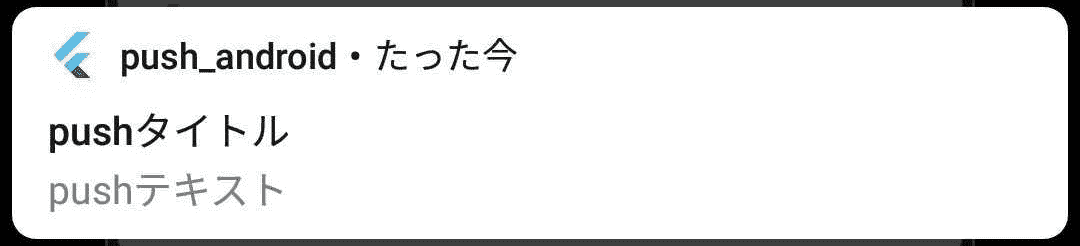
アプリを Background にした状態で送信するとプッシュ通知が届きます。
アプリが Foreground にある場合は別の設定が必要になります。
#アプリが Foreground 時にプッシュ通知を受け取り表示する
アプリが Foreground 時にリモート通知で受けとったメッセージを通知表示します。 ローカル通知の機能を利用します。
Flutter プロジェクトにflutter_local_notificationパッケージをインストールします。
flutter pub add flutter_local_notificationsdependencies:
flutter_local_notifications: ^16.3.2main.dart にインポートします。
import 'package:flutter_local_notifications/flutter_local_notifications.dart';ローカル通知の処理を追加します。
final FlutterLocalNotificationsPlugin flutterLocalNotificationsPlugin =
FlutterLocalNotificationsPlugin();

const AndroidNotificationChannel channel = AndroidNotificationChannel(
	'channel_id', // id
	'channel title', // title
	description: 'This channel is used for Info notifications.', // description
	importance: Importance.high,
);
メッセージを受信する処理を追加します。
void main() async {
 ・・・
  // Foregroundでのメッセージ受信時の処理
  FirebaseMessaging.onMessage.listen((RemoteMessage message) {
    print('Foregroundでメッセージを受信しました message: ${message.notification!.body}');

    RemoteNotification? notification = message.notification;

    if (notification != null) {
      flutterLocalNotificationsPlugin.show(
        notification.hashCode,
        notification.title,
        notification.body,
        NotificationDetails(
          android: AndroidNotificationDetails(
            channel.id,
            channel.name,
            channelDescription: channel.description,
            importance: Importance.high,
            icon: '@mipmap/ic_launcher',
          ),
        ),
      );
    }
});#つまづいたところ
#Attempt to invoke virtual method 'int java.lang.Integer.intValue()' on a null object reference メッセージ
[ERROR:flutter/runtime/dart_vm_initializer.cc(41)] Unhandled Exception: PlatformException(error, Attempt to invoke virtual method 'int java.lang.Integer.intValue()' on a null object reference, null, java.lang.NullPointerException: Attempt to invoke virtual method 'int java.lang.Integer.intValue()' on a null object referenceAndroidNotificationDetails で icon を指定していない状態で発生しました。
FlutterLocalNotificationsPlugin の initialize でアイコンを設定するか NotificationDetails で個別にアイコンを指定することで解消しました。
#FlutterLocalNotificationsPlugin の場合
void main() async {
	・・・
  await flutterLocalNotificationsPlugin.initialize(
    const InitializationSettings(
        android: AndroidInitializationSettings('@mipmap/ic_launcher')),
);#NotificationDetails の場合
	NotificationDetails(
	  android: AndroidNotificationDetails(
		channel.id,
		channel.name,
		channelDescription: channel.description,
		importance: Importance.high,
		icon: '@mipmap/ic_launcher',  // <-- アイコン指定
	  ),
),#Foreground 時に通知が表示されない
無効なアイコン名を指定していたことが原因でした。
icon: 'launch_background',有効なアイコンに変更し、表示されるようになりました。(環境に合わせてください)
icon: '@mipmap/ic_launcher',